
AI Sales Assistant for Shopify: How to Choose and Set One Up
By RoMuAI Team · 7 min read
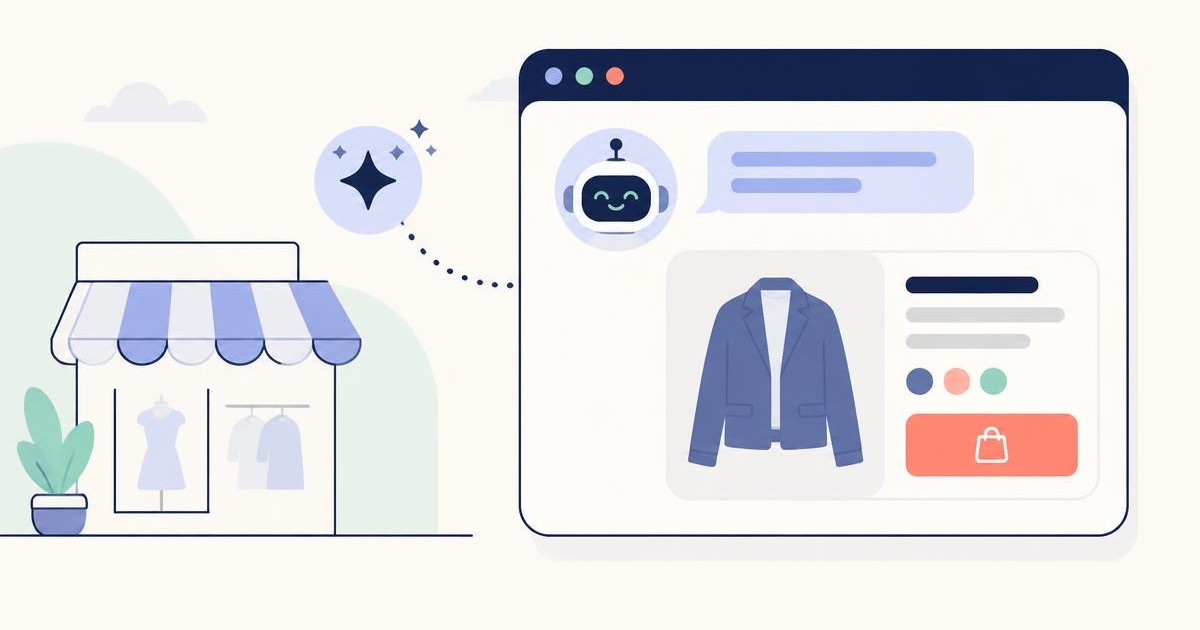
Opening a store on Shopify is easy. The hard part is answering the question a visitor has in mind, right when they have it. "Does this jacket run small?", "How long does shipping take?", "Do you have something similar for less?" In a physical store, a sales associate answers these. In an online store, usually no one does, and the visitor closes the tab.
This guide covers what to know before adding an AI sales assistant to your Shopify store: your options, what to look for, how setup works and what to measure in the first week.
Why an unanswered question costs you a sale
Online shoppers can't touch the product, try it on or ask a sales associate. Every question they can't answer on the product page stays between them and the purchase.
The most common questions are similar in almost every store:
- Choosing a product: "Which one is best for dry skin?", "What would you suggest as a gift under $50?"
- Size and fit: "I'm 5'9", should I get M or L?"
- Stock and variants: "Do you have the black one in size 8?"
- Shipping and returns: "Will it ship tomorrow?", "Can I exchange it if the size is wrong?"
- Order tracking: "Where is my order?"
Many of these questions come in at night, on weekends or while your team is busy with something else. When the answer arrives the next morning, the shopper has often already bought somewhere else.
Three ways to answer customer questions on Shopify
1. Live chat
Live chat tools such as Shopify Inbox are free and easy to set up, but they need a person on the other end. Questions that arrive while your team is offline have to wait, and for a small team, watching the chat window all day is a job in itself. (For a detailed comparison: Chatbot or Live Chat?)
2. Rule-based chatbot
It works with pre-written question-and-answer flows. When it sees the word "shipping", it sends the shipping text. A question outside its script gets either no answer or an irrelevant one, and since it doesn't know your catalog, it can't recommend products. (See Rule-Based Chatbot or AI?)
3. AI sales assistant
It knows your live product catalog and your store policies. It understands questions asked in the shopper's own words, finds matching products and recommends them. It also answers shipping, return and order questions according to your rules, works 24/7 and hands the conversation to your team when needed.
| Live chat | Rule-based chatbot | AI sales assistant | |
|---|---|---|---|
| Available | When your team is online | 24/7 | 24/7 |
| Recommends products | If your team does | No | Yes, from the live catalog |
| Off-script questions | Your team answers | Can't answer | Understands and answers |
| Setup effort | Low | Writing flows | Low, catalog is synced automatically |
Why language support deserves its own check
Many apps translate their interface into several languages. What matters more is the quality of the assistant's answers in each language.
Shoppers write short, casual messages: "returns?", "ship to uk", "this in blue?". A good assistant has to understand these and answer in natural, correct language. Replies that sound machine-translated or overly formal cost you trust.
This matters even more if you sell internationally. The same assistant should answer a shopper writing in German in German and one writing in Arabic in Arabic, without you setting up a separate assistant for each language.
8 criteria for choosing an AI sales assistant
- Live catalog: The assistant should pull your products, prices, discounts and stock from Shopify automatically. You shouldn't need to upload anything when you add a product or change a price.
- Chat to cart: Recommended products should appear with photo and price, and shoppers should be able to pick a size or color and add them to the cart without leaving the chat.
- Language quality: Test it with your own products before you commit. Ask casual, one-word and misspelled questions and read the answers.
- Store-specific rules: You should be able to define shipping times, the free-shipping threshold and return and exchange terms, and the answers should follow them.
- Order tracking: It should answer "Where is my order?" by checking the order status, not by sending the shopper to email.
- Human handoff: When the assistant can't answer, or the shopper wants a person, the conversation should reach your team via WhatsApp or email.
- Sales attribution: You should see in the dashboard which products were added to cart and which orders were placed after a chat. Otherwise you are guessing whether the assistant works.
- Clear pricing and a trial: There should be a free starting point or trial, billing should go through your Shopify invoice, and it should be clear what the price scales with (messages, conversations or seats).
How to set up an AI sales assistant on Shopify
For most apps in the Shopify App Store, setup takes a few minutes and needs no code:
1. Install the app. Find it in the Shopify App Store, add it to your store and approve the permissions.
2. Enable it in the theme editor. In Shopify admin, go to Online Store → Themes → Customize → App embeds, turn the assistant on and save.
3. Configure it for your store. In the app dashboard, set the welcome message, colors, tone and your shipping and return rules.
4. Test it yourself. Open your store as a shopper and ask what your real customers would ask: a product question, a size question and a returns question. If you are happy with the answers, the assistant is ready.
What to measure in the first week
- Top topics: What do shoppers ask most? If the same question keeps coming up, that information is missing from your product page. Update your descriptions.
- Unanswered questions and products not found: Products shoppers looked for but couldn't find in your store are direct input for your assortment.
- Orders from chat: How many shoppers who chatted added a product to cart, and how many completed an order? That is the number that shows the assistant's value.
RoMuAI AI Sales Chatbot for Shopify
RoMuAI AI Sales Chatbot is an AI sales assistant live on the Shopify App Store, built around the criteria above:
- Recommends the right product from your live catalog and shows it as a card with photo, price and sale price.
- Shoppers pick a size or color and add to cart without leaving the chat.
- Offers help to shoppers who linger on a product page.
- Answers order tracking, shipping and return questions according to your rules, and hands off to your team via WhatsApp or email when needed.
- Speaks 9 languages (English, Turkish, German, French, Spanish, Italian, Portuguese, Russian and Arabic) and replies in the language the shopper writes in.
- The dashboard shows the chat-to-sale funnel, orders placed after a chat and the most-asked topics.
- No code needed. There is a free-forever plan, paid plans come with a 14-day free trial, and every plan includes every feature.
Want to see it before installing? Use the "View demo store" link on our Shopify App Store page and chat with the assistant yourself. For product details and current plans: AI Sales Chatbot for Shopify.
Frequently asked questions
Can I use an AI chatbot that speaks my customers' language on Shopify?
Yes. Several AI assistants in the Shopify App Store support multiple languages. Test the quality of the answers, not just the interface, with your own products before choosing.
Isn't Shopify Inbox enough?
Shopify Inbox is a good free starting point for live chat, but your team has to answer most questions. If you want to cover nights and weekends, recommend products and let shoppers add to cart from the chat, an AI sales assistant is a better fit.
Do I need coding skills to set it up?
No. Install the app from the Shopify App Store and enable it under App embeds in the theme editor.
How does the assistant learn my products?
Your products are synced from Shopify automatically. Price, stock and discount changes are reflected in the catalog the assistant uses; no manual uploads.
What happens if a shopper wants to talk to a person?
The assistant hands the conversation to your team via WhatsApp or email.
I sell internationally. Will it talk to customers in other languages?
Yes. RoMuAI AI Sales Chatbot speaks 9 languages and replies in the language the shopper writes in. No separate setup per language.
Is it free?
There is a free-forever plan, and paid plans include a 14-day free trial. See current plans on our Shopify App Store page.
Put a 24/7 sales assistant in your store today. Install free on the Shopify App Store or request a demo and we'll set it up with you.